KB5127648 fixes eleven documented things, and a QA plan that says "Microsoft reports no new known issues" is wrong: the KB has its own Known issues section, and Remote Desktop for non-admin users is still only Mitigated. Worse, Administrator protection, the feature that triggers it, turns on by default this month if you deploy Microsoft's security baselines. This post rebuilds the test plan from Microsoft's own pages, flags the three claims that do not hold, and adds the cluster-breaking Storage Spaces fix that most plans leave out.
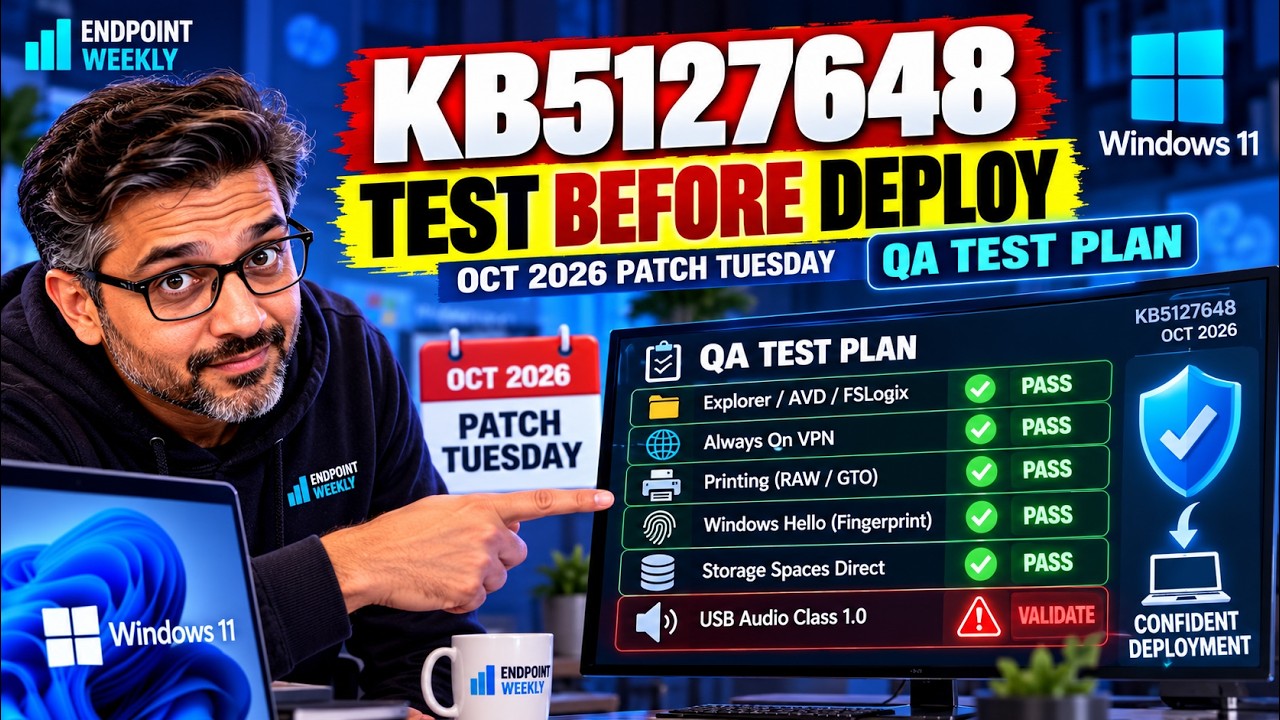
A patch QA plan is a promise. You are telling the business that you checked the things most likely to break, and that the ones you could not check are known and accepted. That promise only holds if the plan is built from what the vendor actually published, not from what last month's plan said.
This post takes a real October 2026 Patch Tuesday test plan, of the kind circulated to a QA team before a production ring opens, and checks every line of it against Microsoft's own pages. Most of it holds up. Three claims do not, and one genuinely dangerous fix is missing. If you are about to sign off KB5127648, the corrections matter more than the checklist.
The problem: a test plan that says "no known issues"
The plan opens with a reassuring line: Microsoft reports no new known issues. It then lists ten priority tests, a standard smoke test, and a set of carry-forward regressions.
Open the KB article and the first thing under the improvements list is a heading called Known issues in this update. Under it:
So the single most load-bearing sentence in the plan is wrong, and it is wrong in the direction that hurts. A tester told "no known issues" who then cannot RDP as a standard user will log a new defect, chase it, and eventually find Microsoft's note. That is a wasted afternoon per tester.
It gets sharper. The reason this matters more in October than it did in September is a separate change on Microsoft's Administrator protection page:
That is the headline of this month for anyone running Remote Desktop hosts, and it appears nowhere in the plan.
Every claim in the plan, checked
Here is the full audit. "Confirmed" means the exact wording appears on Microsoft's KB article for KB5127648 or on the Windows release health pages.
| Claim in the plan | What Microsoft publishes | Verdict |
|---|---|---|
| "Microsoft reports no new known issues" | KB5127648 has a Known issues in this update section containing the Remote Desktop 0xC000000D failure, carried from KB5124010 and listed as Mitigated | Wrong |
| Builds 26200.9711 and 26100.9711 | The KB title reads OS Builds 26300.9711, 26200.9711 and 26100.9711 | Incomplete — 26H2 missing |
| USB 1.0 audio: "not new, not widespread — keep half an eye on it" | "USB audio devices might fail to start or produce no sound" is an open issue at status Mitigated, affecting USB Audio Class 1.0 devices with Device Manager Code 10 | Understated |
| Explorer crash in AVD / FSLogix is fixed | [Windows Explorer (Known issue)] Fixed — Explorer.exe failing to start or crashing after sign-in, causing a black screen | Confirmed |
| Always On VPN stuck "Connecting" is fixed | [Always On VPN] — names KB5124008 as the cause, automatic protocol selection or fallback as the condition, and "The specified port is already in use" as a symptom | Confirmed |
| Fingerprint sign-in after cold boot is fixed | [Windows Hello] — fingerprint sign-in might not work after a cold boot on some devices | Confirmed |
| AC-3 audio playback is fixed | [Audio (known issue)] Fixed | Confirmed |
| RAW and Generic Text Only printing is fixed | [Printing] — printing could fail after the August 2026 security update | Confirmed |
| Gaming mouse stutter fix | [Gaming] | Confirmed |
| Manitoba time zone | [Date and Time] — new (UTC-05:00) Manitoba, for the 1 November 2026 change | Confirmed |
| ReFS auditing on by default, enforcement off | [ReFS security] and KB5130741 — auditing enabled by default, enforcement disabled by default | Confirmed |
| Secure Boot certificate rollout ongoing | [Secure Boot] — deployment through Windows Update remains ongoing | Confirmed |
| — not in the plan — | [Storage Spaces] — tiered Storage Spaces Direct virtual disks might fail to come online, making dependent clustered workloads unavailable | Missing test |
| "SSD failure" priority test | No SSD issue appears in KB5127648's improvements or in the release health known-issue tables for this update | Not a this-month issue |
| "Boot loop" priority test | Not documented for this update | Not a this-month issue |
| Outlook launch, listed under fixes | Teams and new Outlook failing on ARM devices originated with KB5121003 and was Resolved by KB5124008 on 8 September | Right test, wrong month |
| Section 3 "new features & changes" | Every item traces to KB5124010, the 22 September preview, which KB5127648 lists under "includes improvements from the following previously released updates" | Present, but not new |
Why it happens: three sources that disagree
This is not carelessness. It is the predictable result of building a plan from one source when Microsoft publishes patch truth in three places that update on different schedules.
| Source | What it is authoritative for | Where it misleads |
|---|---|---|
| The KB support article support.microsoft.com | Build numbers, the bracketed fix list, which earlier updates are rolled in, the servicing stack update, install mechanics | Its known-issues section lists what is open as at publication. It does not show status transitions, so you cannot tell Mitigated from Resolved |
| Windows release health learn.microsoft.com | Per-issue status (Mitigated, Resolved), the originating update, the resolving KB, and the last-updated timestamp | Published per Windows version. An issue on the 24H2 page may be absent from the 26H2 page, and vice versa |
| Feature and baseline docs learn.microsoft.com | Default-state changes, such as Administrator protection switching on with the baselines | Not linked from the monthly KB in any obvious way. You only find it if you already suspect a default changed |
The "no known issues" line almost certainly came from reading the improvements list and stopping before the next heading. The missing 26H2 build came from last month's template. And the Administrator protection default change is invisible unless you read the feature page, because the KB mentions it only inside a note in the known-issue text.
One more thing the plan omits, and it matters if anyone deploys from the Update Catalog rather than Windows Update. KB5127648 bundles a servicing stack update, KB5127647 (build 26100.9703), which Microsoft says improves the reliability of the update installation process. Microsoft also notes the package contains MSU files that must be installed in a specific order. A tester who downloads one MSU from the Catalog and installs it on its own has not tested what your fleet will receive.
boot.stl file is included. Without it, devices can fail to start from that media with error 0xc0430001. Microsoft also says to use Dynamic Update packages from the same release month as the update. This is an image-build failure, not a device failure, so it will never surface in a device-level smoke test — put it on the imaging team's list instead.How to verify what you actually have
Before testing anything, establish two facts on each pilot device: the build it is on, and whether Administrator protection is enabled. The second one decides whether the Remote Desktop issue applies to you at all.
Step 1: confirm the build
Microsoft publishes three target builds for this update, one per Windows 11 version. The revision after the dot is the part that moves. Run this on a patched device:
# October 2026 target builds, from the KB5127648 article title
$target = @{ '26300' = 9711; '26200' = 9711; '26100' = 9711 }

$cv  = Get-ItemProperty 'HKLM:\SOFTWARE\Microsoft\Windows NT\CurrentVersion'
$bld = $cv.CurrentBuildNumber      # 26100 / 26200 / 26300
$ubr = $cv.UBR                    # the revision, e.g. 9711

"Version   : $($cv.DisplayVersion)"
"Build     : $bld.$ubr"

if (-not $target.ContainsKey($bld)) {
    "Result    : build $bld is not in scope for KB5127648"
} elseif ($ubr -ge $target[$bld]) {
    "Result    : PASS - at or above $bld.$($target[$bld])"
} else {
    "Result    : BEHIND - expected $bld.$($target[$bld]) or later"
}
A revision higher than 9711 still passes. Revisions only increase, so a November build already contains October's fixes. Here is a real run, on a 25H2 device still sitting on the September out-of-band build:
Version   : 25H2
Build     : 26200.9457
Result    : BEHIND - expected 26200.9711 or later
That is exactly what an unpatched pilot device looks like. 26200.9457 is the build left behind by KB5129195, September's out-of-band update, so this device has September's fixes and none of October's. A tester handed this machine would "pass" every functional test in the plan while testing the wrong build entirely, which is why the build check comes before the test matrix and not after it.
Step 2: determine whether Administrator protection is on
This is the check that tells you whether to expect the Remote Desktop failure. Microsoft documents the setting as UserAccountControl_TypeOfAdminApprovalMode in the LocalPoliciesSecurityOptions CSP, surfaced in the Intune Settings catalog under Local Policies Security Options as User Account Control Type Of Admin Approval Mode.
The Group Policy equivalent, per Microsoft's Administrator protection page, is Computer Configuration > Windows Settings > Security Settings > Local Policies > Security Options, policy User Account Control: Configure type of Admin Approval Mode. Enabled means Admin Approval Mode with Administrator protection; the off position is Legacy Admin Approval Mode (Default). Microsoft notes a restart is required either way.
Step 3: decide the Remote Desktop question before you test
Microsoft documents three policies that bear on remote elevation once Administrator protection is on. Work out which applies before a tester reports a false defect.
| Policy | Microsoft's documented behaviour | Use in your test plan |
|---|---|---|
| User Account Control: Configure type of Admin Approval Mode | Enables or disables Administrator protection. The documented workaround for the 0xC000000D failure is to reset this policy | The master switch. Record its state per pilot device |
| User Account Control: Allow remote logon with elevated privileges for domain users in the local Administrators group when Administrator protection is enabled | Disabled (default): domain users in the local Administrators group remote-logon without elevated privileges. Enabled: they remote-logon with elevated privileges, matching traditional UAC behaviour | Explains why an admin RDP session behaves differently from a standard-user one |
| User Account Control: Allow remote logon with elevated privileges for specified domain users and groups when Administrator protection is enabled | Grants elevated remote logons only to designated domain users or groups, keeping others non-elevated | The granular option if you need some remote admin paths to keep working |
The fix: the test plan, rebuilt from Microsoft sources
Below is the plan rewritten so every priority row traces to a Microsoft statement. The ordering is deliberate: the fixes that silently break authentication or storage come first, because those are the failures a user reports as "the computer is broken" rather than as a specific error.
Tier 1: verify the documented fixes landed
Each of these is a Microsoft-documented fix in KB5127648. A failure here is a genuine regression and worth escalating.
| Test | How to exercise it | Pass condition |
|---|---|---|
Explorer in multi-user / VDI[Windows Explorer (Known issue)] Fixed | Sign in to an AVD host or a device with an FSLogix profile. Use a profile that previously showed the fault if you have one, since Microsoft notes it occurred more often with existing profiles | Desktop and Explorer load automatically. No black screen, no repeated Explorer.exe restart |
Always On VPN[Always On VPN] | Connect, disconnect and reconnect several times. Test specifically where automatic protocol selection or protocol fallback is configured, which is the condition Microsoft names | Reconnects cleanly. No session stuck at Connecting, no "The specified port is already in use" |
Storage Spaces Direct[Storage Spaces]missing from the original plan | On a cluster with tiered S2D virtual disks, patch a node and confirm every virtual disk comes online and dependent clustered workloads start | All virtual disks online, no clustered workload left unavailable |
Windows Hello fingerprint[Windows Hello] | Full power off, not a restart. Cold boot and sign in with fingerprint on the first attempt | Fingerprint sign-in succeeds first try |
AC-3 audio[Audio (known issue)] Fixed | Play AC-3 content in an affected application. Microsoft notes legacy applications are the likely ones | Playback works, application does not close unexpectedly |
RAW / Generic Text Only printing[Printing] | Send a test print through a queue using a RAW or Generic Text Only driver | Job prints. This broke after the August 2026 update, so test it only if you actually support those driver types |
Tier 2: the open issues, and how to prove which one you have
These are not expected to pass. The point of testing them is to confirm the symptom matches Microsoft's description, so the business accepts them as known rather than treating them as your rollout breaking things.
| Open issue | Status and condition | What to record |
|---|---|---|
| Remote Desktop fails for non-admin users, error 0xC000000D, "The token that was passed to the function is invalid." | Mitigated. Originating update KB5124010. Microsoft says it "primarily affects enterprise-managed remote devices used as Remote Desktop hosts with Administrator protection enabled, regardless of how the feature was enabled" | Whether Administrator protection is on, whether the failing account is non-admin, and the exact error. Microsoft says a fix is coming in a future update |
| USB audio devices fail to start or produce no sound | Mitigated. Affects USB Audio Class 1.0 devices. Symptoms include Device Manager Code 10, "This device cannot start", and failures in multichannel audio modes | The device class, the Device Manager error code, and whether multichannel mode is involved. Do not log this as new |
Microsoft's documented mitigation for the Remote Desktop issue is to turn Administrator protection off on affected devices by resetting the Admin Approval Mode policy through Intune or Group Policy. That is a security regression, so make it an explicit, time-boxed decision with an owner, not a quiet change a tester makes to clear a defect.
Tier 3: the ReFS change nobody will notice until January
This one is not a test so much as a deadline. KB5127648 turns on auditing for ReFS volumes mounted from removable media. Blocking is off. Per KB5130741, with the January 2027 security update, auditing and blocking are both enabled by default and affected volumes will not mount unless an administrator changes the setting.
Your October job is to collect the audit data, because that is the list of what breaks in January. Microsoft documents the event:
Sweep your pilot ring for it:
# ReFS audit events for removable media, introduced by the 13 October 2026 update.
# Blocking becomes the default with the January 2027 security update.
# Event Viewer shows Source "ReFS", but Get-WinEvent needs the PROVIDER name,
# which is "Microsoft-Windows-ReFS". See the gotcha below.
$provider = 'Microsoft-Windows-ReFS'
$events   = @()
$queryOk  = $false

try {
    $events  = @(Get-WinEvent -FilterHashtable @{
        LogName      = 'System'
        ProviderName = $provider
        Id           = 524
    } -ErrorAction Stop)
    $queryOk = $true
}
catch {
    if ($_.Exception.Message -match 'No events were found') {
        $queryOk = $true          # a genuine zero, not a failure
    } else {
        Write-Warning "Event query FAILED: $($_.Exception.Message)"
        Write-Warning "Treat this device as NOT CHECKED. Do not record it as clean."
    }
}

if (-not $queryOk) {
    'ReFS audit : UNKNOWN - query failed, see warning above'
} elseif ($events.Count -eq 0) {
    'ReFS audit : 0 events - no ReFS volume seen on removable media since the last boot'
} else {
    "ReFS audit : $($events.Count) event(s) - these volumes stop mounting from January 2027"
    $events | Select-Object TimeCreated, @{n='Detail';e={ $_.Message -replace '\s+',' ' }} | Format-List
}

# Current policy state. Group Policy wins over the FileSystem value.
# 0 = Off, 1 = Audit (default), 2 = Block
foreach ($path in 'HKLM:\SYSTEM\CurrentControlSet\Policies',
                  'HKLM:\SYSTEM\CurrentControlSet\Control\FileSystem') {
    $v = (Get-ItemProperty -Path $path -Name RefsRemovableDeviceMountPolicy `
            -ErrorAction SilentlyContinue).RefsRemovableDeviceMountPolicy
    "{0,-52} : {1}" -f $path, $(if ($null -eq $v) { 'not set (Audit applies by default)' } else { $v })
}

if (-not $queryOk) { exit 1 } else { exit 0 }
Get-WinEvent wants. Passing ProviderName = 'ReFS' throws "There is not an event provider on the localhost computer that matches ReFS"; the registered provider is Microsoft-Windows-ReFS. And the obvious workaround, dropping the provider filter and matching on ID alone, is worse: on a normal laptop Event ID 524 in the System log is Microsoft-Windows-Kernel-Power, "Critical Battery Trigger Met". Filter on the ID by itself and every machine that has run its battery flat reports a phantom ReFS problem.-ErrorAction SilentlyContinue. If the query fails and you suppress the error, $events stays empty and the script cheerfully prints 0 events. A broken check that reports clean is worse than no check, because it ends up in a sign-off as evidence. This version separates "Microsoft returned no matching events", which is a real zero, from "the query did not run", which exits 1 and tells you the device was never checked.On a device that has not taken the October update yet, zero is also the correct answer for a second reason: the event does not exist. On build 26200.9457 the Microsoft-Windows-ReFS provider manifest defines events up to 522, and 524 only arrives with the update that introduces the auditing. So run this after patching, or you are measuring nothing.
The two registry locations are not interchangeable. Microsoft documents the Group Policy value under Policies and the plain registry value under Control\FileSystem, and states that where both are set, Group Policy takes precedence and a locally configured FileSystem value does not override it. Either change needs a restart.
Tier 4: smoke test and carry-forward
Keep the original plan's smoke test. It is sound, and the items below are the ones worth being deliberate about this month.
- Boot cycle and sustained write. Not this month's regressions, but cheap insurance. Reboot several times and run a large sustained copy.
- Sign-in paths. Password, PIN, Hello face and Hello fingerprint, including the cold-boot fingerprint case above.
- BitLocker. Confirm the volume is still encrypted and the recovery key is visible in Entra ID or Active Directory before you need it.
- Remote Desktop and RemoteApp, run against the Administrator protection state you recorded in step 2, not blind.
- Secure Boot. Microsoft says certificate deployment through Windows Update is ongoing, so flag any new Secure Boot warning rather than dismissing it.
- Third-party network stack, such as your proxy or VPN client. Not Microsoft's to fix, which is exactly why it needs your own evidence.
- Line-of-business and productivity apps. Open them, send something, join a call. Include whatever your organisation actually runs.
For the September features that arrive with this update, a look is enough. Microsoft ships them as a gradual rollout, so if one has not reached a device yet, that is not a defect. Give each of these a few seconds:
- File Explorer preview pane. A web-downloaded HTML file now offers a Preview anyway button. Non-HTML files such as PDFs preview automatically.
- File Explorer Home. Remembers which sections you left expanded or collapsed.
- Emoji 17.0. Press Windows + . and confirm the panel opens.
- Bluetooth audio. Microsoft fixed a crash with error code 0x139 while streaming, and a radio toggle that read "on" when it was off. Stream for a minute, then toggle the radio off and check Settings agrees.
- Copilot key. Can now be remapped to Right Ctrl or Context Menu.
Proof it worked: what a defensible sign-off looks like
A sign-off is defensible when someone reading it in three months can tell what was tested, what failed, and what was knowingly accepted. Build number plus a per-tier result plus an explicit accepted-risk list.
KB5127648 pilot sign-off              Ring: Pilot (12 devices)
-----------------------------------------------------------
Build target 24H2      26100.9711   8/8  PASS
Build target 25H2      26200.9711   3/3  PASS
Build target 26H2      26300.9711   1/1  PASS

Tier 1 - documented fixes
Explorer, AVD + FSLogix profile      PASS  desktop loads, no black screen
Always On VPN, protocol fallback     PASS  5 reconnects, no port-in-use
Storage Spaces Direct, tiered vdisk  PASS  all vdisks online after node patch
Windows Hello fingerprint, cold boot  PASS  first attempt, 4 devices
AC-3 playback, legacy app            PASS
RAW / Generic Text Only print        N/A   no such queues in estate

Tier 2 - open issues, symptom confirmed
RDP non-admin, admin protection ON   FAIL  0xC000000D - matches KB, Mitigated
USB Audio Class 1.0 headset          FAIL  Code 10 - matches KB, Mitigated

Tier 3 - ReFS audit sweep
Event 524 occurrences                2     2 volumes block from Jan 2027
RefsRemovableDeviceMountPolicy       1     Audit (default), unchanged

Accepted risk, signed by change owner
1. RDP for non-admin users is broken where Administrator protection
   is on. Microsoft status: Mitigated, fix in a future update.
   Decision: keep protection ON, admins use jump host. Review 10 Nov.
2. USB Audio Class 1.0 headsets unusable on 2 devices. Replaced
   with UAC 2.0 units. No fleet-wide action.

Outcome: APPROVED for broad deployment with 2 accepted risks
Two details make that readable later. Tier 2 shows FAIL rather than being quietly omitted, because the test did run and the symptom did match, which is the evidence that it is Microsoft's issue and not yours. And the accepted risks carry a decision and a review date, so "we knew" is provable.
References
- KB5127648: October 13, 2026 — OS Builds 26300.9711, 26200.9711 and 26100.9711
- KB5124010: September 22, 2026 preview — the September features rolled into this update
- KB5130741: Hardening changes for ReFS volumes on removable media
- Administrator protection — configuration, baseline default, and the known RDP issue
- Windows 11, version 24H2 known issues and notifications
- Windows 11, version 25H2 known issues and notifications
- Windows 11, version 26H2 known issues and notifications
- Windows 11 release information — build numbers by version
- Resilient File System (ReFS) overview
- USB Audio Class system driver (usbaudio.sys)
- Microsoft Security Update Guide — October 2026 release notes
- The CVE side of this update: 1,008 CVEs, one exploited, and the open Remote Desktop issue