Microsoft released KB5127648 on Tuesday 13 October 2026 as the October cumulative update for Windows 11 versions 24H2, 25H2 and 26H2. The builds are 26100.9711, 26200.9711 and 26300.9711. It is a security update, but the lines most admins will read first are the fixes: an Explorer black screen on Azure Virtual Desktop hosts that use FSLogix, applications that close when they need AC-3 audio, and Always On VPN connections stuck on Connecting.
Release-day summaries get details wrong, so I checked every one of those claims against Microsoft's KB page, its release-health known-issue records and the Security Update Guide data. Most of it holds. Three things did not fit the usual story. The update addresses 1,008 CVEs, and Microsoft marks exactly one of them as already being exploited. An open Remote Desktop issue that this update does not fix affects devices that are about to receive a new default setting. And two of the fixes come from further back than the September update that most people will blame.
KB5127648 fixes the AVD and FSLogix black screen, the AC-3 application crashes and the Always On VPN fallback failure, and it adds ReFS auditing that turns into blocking with the January 2027 update. USB Audio Class 1.0 devices are still only partly fixed. One Remote Desktop failure (error 0xC000000D, hosts with Administrator protection on) is still open, and Microsoft says Administrator protection becomes the default for security-baseline users with this month's update. My rating is amber: test now, then deploy through rings, and include Remote Desktop hosts and legacy audio applications in the first ring. On the security side the update addresses 1,008 CVEs: 25 Critical, 983 Important, none publicly disclosed beforehand, and one already being exploited (CVE-2026-96951, a Mark of the Web bypass). That one is the reason not to let "ring it" turn into "leave it a month".
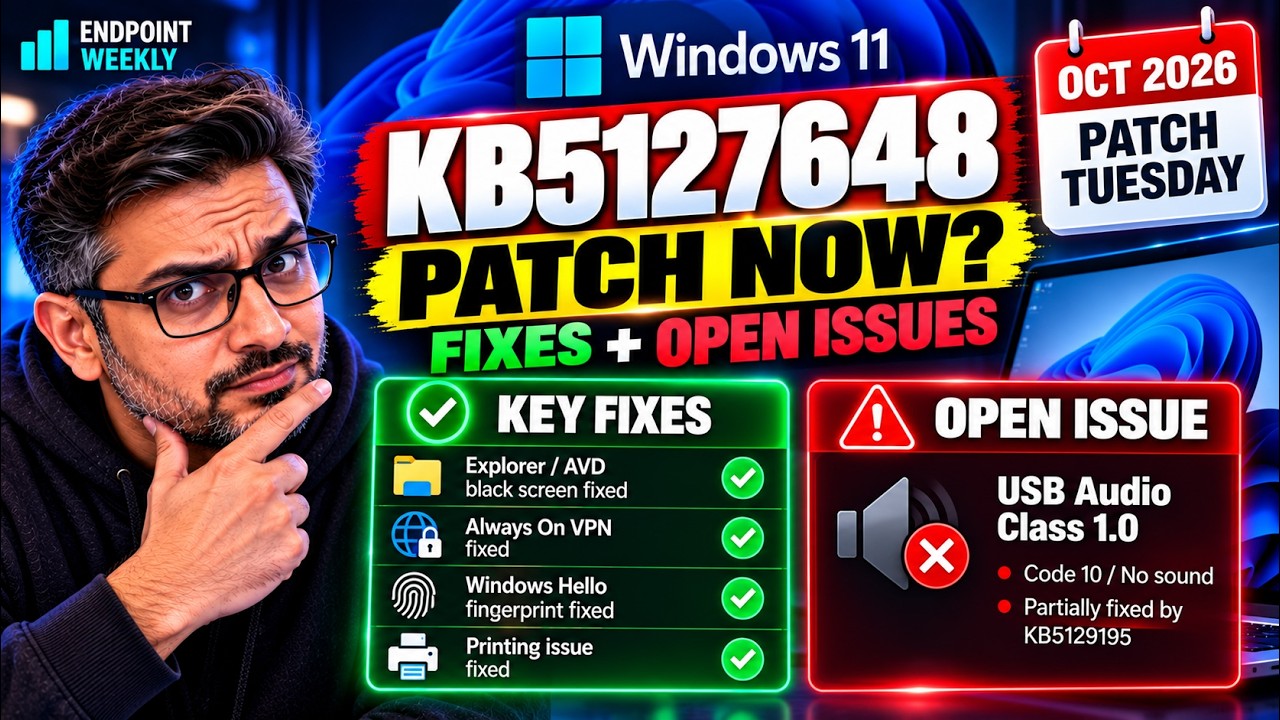
The problem: three regressions fixed, one new default, one issue still open
First, plain English. A Windows cumulative update contains everything from earlier updates plus the new changes, so each month's Patch Tuesday also picks up fixes first shipped in the optional preview update before it. KB5127648 says it includes improvements from KB5124008 (8 September), the out-of-band KB5129195 (14 September) and the preview KB5124010 (22 September). That stack matters, because several of this month's fixes are repairs to problems those earlier updates introduced.
What is in KB5127648
Here is the list from Microsoft's KB page, in the order that matters for operations rather than the order on the page.
| Area | What Microsoft says | Status |
|---|---|---|
| Explorer on AVD and FSLogix | Explorer.exe might fail to start or repeatedly crash after sign-in, causing a black screen. | Fixed |
| AC-3 audio | Fixes an issue that affects AC-3 audio playback in some applications. | Fixed |
| Always On VPN | With automatic protocol selection or fallback, connections could stay in Connecting or fail, sometimes with "The specified port is already in use." | Fixed |
| Storage Spaces Direct | Tiered virtual disks might fail to come online after certain security updates. | Fixed |
| Printing | Printing could fail in some applications and with RAW or Generic Text Only drivers after the August 2026 update. | Fixed |
| Windows Hello | Fingerprint sign-in might not work after a cold boot on some devices. | Fixed |
| Gaming | Mouse input could stutter in some games. | Fixed |
| ReFS security | Adds auditing and optional policy controls for ReFS volumes on externally attached storage. Auditing is on by default, enforcement is off by default. | New |
| Time zone | Adds (UTC-05:00) Manitoba for the 1 November 2026 change. | New |
| Secure Boot | Continues delivering the newer Secure Boot certificates to eligible devices. | Ongoing |
| Security updates | "Security improvements", with a pointer to the Security Update Guide. | 1,008 CVEs, 1 exploited |
The KB also updates the Copilot+ PC AI components to version 1.2608.951.0 and includes servicing stack update KB5127647 (build 26100.9703). The AI components apply only to Copilot+ PCs.
The release-day summary against Microsoft's own pages
Here is how each claim in the circulating summary of this update holds up when you read the primary sources.
| The summary says | What Microsoft's pages say | Verdict |
|---|---|---|
| KB5127648 covers 24H2, 25H2 and 26H2 | The KB lists all three, all editions, with builds 26100.9711, 26200.9711 and 26300.9711. | Confirmed |
| AVD and FSLogix black screen fixed | Confirmed in the KB. Release health says it started with the August 27 preview, KB5120998, not September. | Confirmed, origin is August |
| AC-3 application crashes fixed | The KB says "AC-3 audio playback". Release health says applications that need AC-3 decoding "might close unexpectedly", from KB5124010. | Confirmed |
| Always On VPN fallback fixed | In the KB, linked to KB5124008. I found no matching record on the 24H2, 25H2 or 26H2 release-health pages. | Confirmed in the KB only |
| USB Audio Class 1.0 problems remain | Status is Mitigated. KB5129195 fixed the 8-channel and 3D audio symptoms. Code 10 and no-audio symptoms are not fixed. | Confirmed, with detail |
| ReFS hardening, enforcement in January 2027 | KB5130741: audit phase from 13 October, blocking on by default with the January 2027 update. | Confirmed |
| Includes the Machine Identity Isolation, File History and Sysmon fixes | These are in the 22 September preview KB5124010, which this update includes. They are not in KB5124008. | Confirmed, via KB5124010 |
| A complete October CVE inventory | Published. The data names 1,008 CVEs remediated by KB5127648, across the six 24H2, 25H2 and 26H2 x64 and Arm64 products. | Confirmed, see below |
| No reason in the KB for an estate-wide pause | True of the KB. But release health holds an open Remote Desktop issue the KB does not mention. | Incomplete |
0xC000000D and the message "The token that was passed to the function is invalid", when the remote device has Administrator protection enabled. It started with the September preview KB5124010, it applies to "later updates" (KB5127648 is one), and its status is Mitigated, not resolved. Microsoft says it is working on a fix in a future update. The record was opened on release day, so it is not in the KB's known-issues section.Things the summary did not mention
- 24H2 Home and Pro get their last update. The KB announcement says the October 2026 update is the last one for those editions. Enterprise and Education 24H2 continue. If you still have 24H2 Home or Pro devices, they need a feature update, not another cumulative.
- Catalog installs need a checkpoint update first. If you deploy from the Microsoft Update Catalog, the x64 and Arm64 packages both list KB5043080 as a required checkpoint cumulative update before KB5127648.
- Dynamic update media needs boot.stl. If you apply dynamic updates to an existing image, the installation media must include the
boot.stlfile or the media can fail to boot with error0xc0430001. - Windows 11 26H1 has its own update. It is KB5127646, build 28000.3231, not KB5127648.
The security content: 1,008 CVEs, and one already being exploited
Plain English first. A CVE is one numbered security flaw. Microsoft publishes the month's list in the Security Update Guide, and the same data is available as a feed that needs no sign-in. A cumulative update is all or nothing: you cannot take the security fixes and leave the rest, so the CVE count is really a measure of what you lose by not installing it.
I counted the CVEs whose remediation names KB5127648. That is the defensible way to say "this update fixes it", because the data ties the CVE, the KB and the fixed build together. Here is the result.
| Measure | Count | What it means for you |
|---|---|---|
| CVEs addressed by KB5127648 | 1,008 | All six products the KB covers: 24H2, 25H2 and 26H2, x64 and Arm64. |
| Critical | 25 | Mostly remote code execution. Listed in full below. |
| Important | 983 | The remainder. 25 plus 983 accounts for every CVE in the set. |
| Already exploited | 1 | CVE-2026-96951. Microsoft's label is "Exploited:Yes" with "Exploitation Detected". |
| Publicly disclosed before the fix | 0 | No flaw in this set was public before a patch existed. |
| Rated "Exploitation More Likely" | 104 | Microsoft's own forecast that working exploits are likely to appear. |
| CVSS base score 9.0 or higher | 42 | Highest in the set is 9.8. |
Why Mark of the Web matters. When Windows saves a file that came from the internet, it tags it. That tag is what makes SmartScreen warn you and Office open the file in Protected View. Bypass the tag and a downloaded file behaves like a local one, so the warning your users are trained to expect never appears. The CVSS vector is AV:N/AC:L/PR:N/UI:R: reachable over the network, low complexity, no privileges needed, but it does need the user to open something. That is a phishing attachment, which is exactly why the exploit status outranks the severity label.
One more scope point the Windows 11 KB page does not tell you: this CVE affects 31 product entries in Microsoft's data, including Windows Server 2012 R2, Server 2016, and Windows 10 going back to version 1607, each with its own KB (9 update KBs in total). If you manage servers or Windows 10 alongside Windows 11, patching KB5127648 covers only the Windows 11 side of it.
The 25 Critical CVEs in this update
Generated from Microsoft's own data rather than retyped, sorted by CVSS base score. Every CVE links to its Security Update Guide page.
| CVE | CVSS and impact | Component |
|---|---|---|
| CVE-2026-100202 | 9.8 · Remote Code Execution | Windows Message Queuing Queue Manager Remote Code Execution |
| CVE-2026-100219 | 9.8 · Remote Code Execution | Microsoft QUIC Remote Code Execution |
| CVE-2026-105016 | 9.8 · Remote Code Execution | Microsoft QUIC Remote Code Execution |
| CVE-2026-70147 | 9.8 · Remote Code Execution | Microsoft PostScript Printer Driver Remote Code Execution |
| CVE-2026-70153 | 9.8 · Remote Code Execution | Microsoft PostScript Printer Driver Remote Code Execution |
| CVE-2026-97814 | 9.8 · Remote Code Execution | Windows Text Shaping Remote Code Execution |
| CVE-2026-100220 | 8.8 · Remote Code Execution | Windows Media Video Decoder Remote Code Execution |
| CVE-2026-102214 | 8.8 · Remote Code Execution | Windows Hyper-V Remote Code Execution |
| CVE-2026-102225 | 8.8 · Remote Code Execution | Windows Text Shaping Remote Code Execution |
| CVE-2026-105733 | 8.8 · Remote Code Execution | Windows Hyper-V Remote Code Execution |
| CVE-2026-108467 | 8.8 · Remote Code Execution | Microsoft PostScript Printer Driver Remote Code Execution |
| CVE-2026-83934 | 8.8 · Remote Code Execution | Windows GDI+ Remote Code Execution |
| CVE-2026-88073 | 8.8 · Elevation of Privilege | Windows Graphics Kernel Elevation of Privilege |
| CVE-2026-96913 | 8.8 · Elevation of Privilege | Windows Kernel Elevation of Privilege |
| CVE-2026-96914 | 8.8 · Elevation of Privilege | Windows Virtualization-Based Security (VBS) Enclave Elevation of Privilege |
| CVE-2026-96952 | 8.8 · Remote Code Execution | Microsoft Windows Media Foundation Remote Code Execution |
| CVE-2026-108460 | 8.1 · Remote Code Execution | Windows Message Queuing Remote Code Execution |
| CVE-2026-70229 | 8.1 · Remote Code Execution | Windows Active Directory Domain Services Remote Code Execution |
| CVE-2026-100215 | 7.8 · Remote Code Execution | Microsoft Graphics Component Remote Code Execution |
| CVE-2026-108130 | 7.8 · Elevation of Privilege | Windows Virtualization-Based Security (VBS) Enclave Elevation of Privilege |
| CVE-2026-88074 | 7.8 · Elevation of Privilege | Windows Virtualization-Based Security (VBS) Enclave Elevation of Privilege |
| CVE-2026-108131 | 7.5 · Spoofing | Active Directory Federation Services (AD FS) Spoofing |
| CVE-2026-108399 | 7.2 · Elevation of Privilege | Windows Hyper-V Elevation of Privilege |
| CVE-2026-102211 | 7.0 · Elevation of Privilege | Windows Virtualization-Based Security (VBS) Enclave Elevation of Privilege |
| CVE-2026-83917 | 7.0 · Elevation of Privilege | Windows ALPC Elevation of Privilege |
Why it happens: preview updates carry tomorrow's bugs and tomorrow's fixes
The easiest way to understand this release is to place each issue on the timeline of the updates that stack up to it. Every problem below first appeared in an earlier update. That is normal for cumulative servicing, and it is the reason a preview ring is worth having.
The AVD and FSLogix black screen
After sign-in the desktop does not load. The user sees a black screen until someone starts the session shell by hand, and the Application log may show Windows Explorer crashes. Microsoft says it was observed primarily on Azure Virtual Desktop hosts using FSLogix, and "appears to occur more frequently with some existing user profiles". It started with the August preview KB5120998. Microsoft has not published a root cause beyond that. Its release-health record was opened and marked resolved on release day, eleven minutes apart, so the first public acknowledgement arrived together with the fix.
The AC-3 application crashes
AC-3 is the Dolby Digital audio format. After KB5124010, applications that rely on Windows' built-in AC-3 decoding can close without warning, or fail to launch. Microsoft says the affected code is "most commonly used in legacy applications", and that many modern applications bring their own decoder and are not affected. Games, media players and some productivity applications are named. The practical point: this is a compatibility problem in older software, so it will not show up on a standard image test unless you test the old software.
The Always On VPN fallback failure
With automatic protocol selection or protocol fallback configured, a connection that failed on its first attempt could stay in Connecting, or fail on later attempts with "The specified port is already in use." Microsoft links it to KB5124008. Note that it appears in the KB's improvements list but I could not find it as a release-health record, so if you rely on release health to tell you what is broken, you would not have seen it there.
The open Remote Desktop issue and the new default
Administrator protection is a Windows 11 feature that keeps users on a deprivileged token and asks them to authorise each elevation, using Windows Hello. It became available with KB5120998 and is off by default. Microsoft's documentation then says something that changes how you should read this update: "If your organization uses Windows security baselines, Administrator protection becomes enabled by default with the October 2026 Windows security update." The 24H2, 25H2 and 26H2 security baselines include the new default.
The Remote Desktop failure affects remote devices with the feature on, "regardless of how the feature was enabled", and Microsoft calls out enterprise-managed Remote Desktop hosts. Two details limit the exposure. Administrator protection currently does not apply to Windows 365 Cloud PCs or Azure Virtual Desktop session hosts, so those are not on this route. And the failure is for non-admin users connecting in.
The ReFS hardening
ReFS on removable media, such as a USB disk, is not a supported configuration. Microsoft is adding visibility first and enforcement later. From 13 October the system logs a warning whenever it sees a ReFS volume on removable or externally attached media. With the January 2027 security update, those volumes are blocked from mounting by default, unless an administrator has changed the setting.
How to verify: seven read-only checks, including the CVE data
None of these commands change anything. Run them on a pilot device before you decide how fast to move.
Check 1: what build is this device on?
The monthly revision number, the part after the dot, tells you which update a device has. This is a real capture from a 25H2 laptop that has not installed KB5127648 yet.
Check 2: will Administrator protection reach your Remote Desktop hosts?
This is the check that decides your risk. Look at where the setting could come from. If you import Microsoft's Windows security baselines into Intune or Group Policy, Microsoft says the new default arrives with the October update. Review which of your Remote Desktop host devices sit in those assignments.
You can read the setting in the same places you would set it. In Microsoft Intune, it is in a Settings catalog policy under the category Local Policies Security Options:
In the CSP it is UserAccountControl_TypeOfAdminApprovalMode in the LocalPoliciesSecurityOptions policy area, deployed in Intune as a custom policy. In Group Policy it is Computer Configuration › Windows Settings › Security Settings › Local Policies › Security Options, the policy "User Account Control: Configure type of Admin Approval Mode", with the value Admin Approval Mode with Administrator protection.
Check 3: has Explorer been crashing on AVD hosts?
Microsoft says only that the Application log "might show Windows Explorer crashes". The standard Windows Application Error event is ID 1000, so this query looks for it with explorer.exe as the faulting application. It is my query, not one Microsoft publishes.
Check 4: do any USB audio devices report Code 10?
Check 5: is anyone mounting ReFS volumes on external media?
When the update is installed and auditing is on, ReFS logs Event ID 524, a warning, in the System log with source ReFS. It fires once per affected volume per boot, and Windows tracks up to 32 volumes per boot. I filter by event ID first and by provider second. On the unpatched device I tested, a provider-first query threw "There is not an event provider on the localhost computer that matches ReFS", so this version works on patched and unpatched devices alike.
Check 6: the Always On VPN profiles
There is no one-line command for this, so it is a review. Find the VPN profiles that use automatic protocol selection or have protocol fallback configured, and put at least one device with such a profile in your first ring. The symptom to test for is a first connection attempt that fails and then leaves the connection stuck on Connecting.
Check 7: pull the CVE list yourself
You do not have to take my counts on trust, and you should not. The Security Update Guide data is available as a feed that needs no sign-in or API key. This command is read-only: it asks for the October document, selects the CVEs whose remediation names KB5127648, and summarises them. Run it yourself and you should get the same numbers as the table above.
CurrentReleaseDate says 07:00 UTC. The first version of this post trusted that stale copy and told you the Windows data was not out yet. Check DocumentTitle and CurrentReleaseDate before you believe a low count, and if the title still says "Early", request it again rather than reporting a gap.The fix: a ring plan, and the exact workarounds Microsoft documents
There is no single fix here. The update itself resolves three issues. For the open and partly-open ones, Microsoft documents workarounds, and the ring plan below is built to find those problems on your own devices before your users do.
The ring plan
This is my recommendation, not a Microsoft schedule. The aim is to put each known risk into a ring that can absorb it.
| Ring | What goes in it | What to validate before widening |
|---|---|---|
| 0 - IT and lab (test immediately) | A few standard devices, one AVD host with FSLogix, one Remote Desktop host, one device with an Always On VPN fallback profile, one with a USB headset. | Build reaches the expected number. Explorer loads for an existing FSLogix profile. A non-admin user can connect by Remote Desktop. VPN reconnects after a failed first attempt. Audio works. |
| 1 - pilot | A cross-section of departments, including audio-heavy users and anyone running legacy media or game software. | No AC-3 application closures. No Code 10 devices. No new help-desk pattern after three working days. |
| 2 - broad | Most of the estate. | Ring 1 clean. Decision made on Remote Desktop hosts with Administrator protection. |
| 3 - specialist | Dedicated audio hardware, ReFS-on-external-media users, kiosks. | Event 524 reviewed. USB Audio Class 1.0 devices tested individually. |
What to patch first
The ring plan above manages the risk of the update breaking something. This part is the opposite risk: the cost of waiting. One CVE in this set is already being exploited, so the two have to be balanced rather than traded.
- Do not try to cherry-pick the security fixes. A cumulative update ships the quality fixes and the 1,008 security fixes as one package. There is no separate patch for CVE-2026-96951, so "hold the update" and "stay exposed to the exploited flaw" are the same decision.
- Compress ring 0 and ring 1 rather than skipping them. Amber means test, not wait a month. With an exploited Mark of the Web bypass in the set, a reasonable shape is ring 0 the same day, ring 1 within two to three working days, broad deployment inside the week.
- Put the exposed users in an early ring. CVE-2026-96951 needs someone to open a file, so the people who open the most unknown attachments are both the highest risk and the best test group. Finance, HR, recruitment and anyone in a shared mailbox.
- Do not rely on the severity label to set priority. This one is rated Important. The 25 Critical CVEs in the table above have no evidence of exploitation; this Important one does.
- Cover the rest of the estate separately. The same CVE affects Windows Server and Windows 10 builds under different KBs. KB5127648 closes it only on Windows 11 24H2, 25H2 and 26H2.
Getting the update
Through Windows Update and Windows Update for Business the update arrives under your configured policies. From the Microsoft Update Catalog you download the MSU files into one empty folder, and the catalog package needs the checkpoint update KB5043080 installed first. DISM installs both in the right order if the files are in the same folder. For a running x64 device, Microsoft's command is:
If you are still on a build with the black screen
After KB5127648, Microsoft says you do not need a workaround for the Explorer black screen. For devices that cannot update yet, it documents two. The first is manual: open Task Manager with Ctrl+Shift+Esc, choose Run new task, enter explorer.exe and select OK. The second is a Known Issue Rollback Group Policy, found under Computer Configuration › Administrative Templates, which needs the matching download installed and a restart. For 24H2, 25H2 and 26H2 the download is "KB5124010 260924_20021 Known Issue Rollback". Microsoft notes the rollback disables the change causing the issue until a later update resolves it. Once a device has KB5127648 you can remove the rollback. That is my advice, not a Microsoft instruction.
For the open Remote Desktop issue
Microsoft's workaround is to temporarily turn off Administrator protection on the affected hosts by resetting the User Account Control Type Of Admin Approval Mode policy, in Intune or in Group Policy, using whichever method you already manage it with. The Settings catalog path and the Group Policy path are in Check 2 above.
For USB Audio Class 1.0 devices
There is no documented fix for the Code 10 and no-audio symptoms. Microsoft says IT administrators who need an immediate workaround should contact Microsoft Support for Business. It also reports that some customers restore audio on devices that fail in multichannel modes by switching to 2-channel mode, although KB5129195 already fixed the 8-channel and 3D audio symptoms. Note that the release-health record lists the originating update as KB5124008, while the KB5127648 page names KB5124012, a number that appears on Microsoft's own list as a Windows 11 26H1 update. Treat the release-health record as authoritative for 24H2 and 25H2.
For the ReFS change: use the audit window
You have until the January 2027 update. Use it in this order: install the October update, review Event 524 across the estate, move any data off ReFS volumes on removable media to a supported configuration, then test blocking in a controlled group before it becomes the default. The setting is RefsRemovableDeviceMountPolicy, a DWORD with 0 for Off, 1 for Audit (the default) and 2 for Block. The registry location for the local setting is below, and a restart is needed after you change it. If the same value comes from Group Policy, the Group Policy setting takes precedence.
Hold, or deploy?
The rating below is mine, based on the evidence above.
| Factor | What the evidence says | Leans toward |
|---|---|---|
| Fixes for known regressions | Black screen, AC-3 and VPN fallback are resolved. | Deploy |
| Open known issues | Remote Desktop 0xC000000D is only mitigated. USB audio is partly fixed. | Ring first |
| New default arriving | Administrator protection on by default for baseline users. | Ring first |
| Age of the release | Released the same day. No field history. | Ring first |
| Security content | 1,008 CVEs, 25 Critical, and one already being exploited. | Deploy, and do not drift |
| 24H2 Home and Pro | This is their last update. | Deploy, then upgrade |
Proof it worked: what good looks like per issue
After the update installs and the device restarts, the build number is your first proof. Expected output, taken from the KB page title, for a 25H2 device:
Then test each issue on its own, in its own ring:
| Issue | Check | Good looks like |
|---|---|---|
| AVD and FSLogix black screen | Sign in as a user with an existing FSLogix profile. | The desktop loads without manually starting explorer.exe. No Explorer crash events. |
| AC-3 crashes | Run the legacy media or game applications that need Windows AC-3 decoding. | They launch and play audio without closing. |
| Always On VPN fallback | Connect with a profile that uses protocol fallback and force a first-attempt failure. | The connection completes, not stuck on Connecting, and no "port is already in use". |
| Remote Desktop with Administrator protection | Connect as a non-admin user to a host with the feature on. | Today, expect failure 0xC000000D on affected hosts. The pass condition is Microsoft's future fix, not this update. |
| USB Audio Class 1.0 | Test each device model in stereo and multichannel. | No Code 10 and normal audio. Failures here are the known, unresolved symptoms. |
| ReFS audit | Mount an external ReFS volume on a test device. | One Event 524 warning per volume per boot, and the volume still mounts while the policy is on Audit. |
| CVE coverage | Re-run the Check 7 summary, and confirm the device build. | The device reports the expected .9711 build. Microsoft ties CVE-2026-96951 to fixed build 10.0.26100.9711 and later, so the build number is your evidence the exploited flaw is closed. |
What I would take away
Four points. First, a cumulative update's fixes often belong to earlier updates, so read the originating update on each release-health record. Second, the KB page and the release-health pages are not the same list: this month the KB leaves out the Remote Desktop issue and release health leaves out the VPN fix, so read both. Third, a new default setting can matter more than a fix, and Administrator protection is the one to watch. Fourth, read the exploit status, not just the severity: the one CVE under active exploitation this month is rated Important, while all 25 Critical ones have no sign of exploitation. And check the title and date on the CVE data you are quoting, because this post was first published from a stale cached copy that showed no Windows data at all.
References
Microsoft documentation (all fetched 13 October 2026)
- KB5127648 - October 13, 2026 (OS Builds 26300.9711, 26200.9711 and 26100.9711) - improvements, known issue, install steps and the checkpoint update.
- Hardening changes for ReFS volumes on removable media - the audit and enforcement timeline, Event 524 and the policy value.
- Windows 11, version 25H2 - known issues - the Explorer, AC-3, USB audio and Remote Desktop records. The 24H2 and 26H2 pages carry the same entries.
- Windows 11 release information - lifecycle dates. It now lists the October builds, dated 13 October 2026, and shows 24H2 Home and Pro as "End of updates".
- Administrator protection - the baseline default, supported scope and the Intune, CSP and Group Policy settings.
- KB5124010 - September 22, 2026 preview - the Machine Identity Isolation, File History and Sysmon fixes.
- KB5124008 - September 8, 2026 and KB5129195 - September 14, 2026 out-of-band - the updates that KB5127648 includes.
- Microsoft Security Update Guide - the October CVE list, and the per-CVE pages linked in the Critical table.
- CVE-2026-96951 - Windows Shell Security Feature Bypass Vulnerability - the one in this set that Microsoft marks as exploited.
Related on EndpointWeekly
- KB5124010 September preview: enterprise deployment guide - the preview that this update builds on.
- KB5124008 domain logon failures: machine secure channel - the Machine Identity Isolation issue explained.
- KB5124008 breaks File History: "Reconnect your drive" - the File History problem fixed in the September preview.
- KB5129195 emergency update for Intune and Autopatch admins - the out-of-band fix that this update includes.
- Windows 11 24H2 Home and Pro end of servicing - what to do about devices that just received their last update.
- September 2026 Patch Tuesday CVE reference - last month's vulnerability breakdown, for comparison.